Wichita State University will be closed Thursday, June 19 in observance of Juneteenth.

Juneteenth commemorates the end of slavery in the United States. It was recognized as a federal holiday in 2021, and Kansas Gov. Laura Kelly declared it a state holiday in 2023.

Eligible employees will receive the day as a paid holiday, and the time will be automatically recorded on eligible employees’ timesheets. Holiday hours will be added according to each employee’s standard hours per day, and no action is required from employees who report leave via leave reports.

To further our continuous efforts to move toward a standard university practice of efficiency and optimization, starting May 27, all job requisitions for staff* and lecturer positions will undergo an initial hiring review. This change aims to enhance our understanding of the need for each position and to facilitate efficient and effective staffing decisions across the organization.

Departments will be required to provide detailed information in the position justification section of their requisitions. The committee will meet every other week to ensure a thorough evaluation of each position’s necessity and to support departments in appropriately staffing their areas.

*IDP and ICAA are exempt from this process.

To help employees plan their work schedules and time-off usage throughout the year, Wichita State is happy to share the winter break schedule has been approved this year, which will commence at the end of the day Friday, Dec. 19, with the university reopening Monday, Jan. 5, 2026. The break is 10 business days, two of which are paid holidays. Thanks to President Muma, employees may use four “Additional Personal Days” to remain in pay status during winter break. Classes will not be in session during this period.

Unclassified Professional and University Support Staff may use accumulated paid leave, Additional Personal Days, or their 2026 discretionary day* to cover time off during the winter break. Non-exempt employees may also use accumulated compensatory time off during the winter break.

If an employee’s role requires them to work during the winter break, it must be approved in advance by their immediate supervisor.

Dates of winter break:

  • Monday, Dec. 22, 2025
  • Tuesday, Dec. 23, 2025
  • Wednesday, Dec. 24, 2025
  • Thursday, Dec. 25, 2025 (paid holiday)
  • Friday, Dec. 26, 2025
  • Monday, Dec. 29, 2025
  • Tuesday, Dec. 30, 2025
  • Wednesday, Dec 31, 2025
  • Thursday, Jan. 1, 2026 (paid holiday)
  • Friday, Jan. 2, 2026

An employee must be in pay status the entire workday before and the entire workday after state holidays to receive holiday pay. The official state holidays (bolded) are Christmas Day and New Year’s Day.

Employees required to work during the winter break will be allowed to use their four Additional Personal Days anytime from Monday, Dec. 22, 2025, through Jan. 31, 2026. Wichita State appreciates your dedication and service to the university.

*The discretionary day for 2025 must be used on or before Friday, Dec. 19, 2025, prior to the beginning of the winter break. The discretionary day for 2026 will be available as of Sunday, Dec. 21, 2025, and may be used during the 2025 winter break.


Now is the time for 9/10 month benefit-eligible faculty or exempt staff members to elect or cancel annualized salary spread for the 2025-26 academic year.

If you currently are paid over your 9/10 month appointment and would like to have that pay spread out over 12 months beginning with the pay period starting Aug. 3 for the 2025-26 academic year, complete the Annualized Salary Spread Agreement no later than July 11.

If you are currently paid your 9/10 month appointment salary over 12 months and would like to cancel that election for the 2025-26 academic year, complete the Salary Spread Cancellation Form no later than July 18.

If you have plans to take leave during the academic year, retire or otherwise leave employment at the end of the academic year this can impact how salary spread would function and whether or not you would be able to receive pay over the summer months, so consult the HR Service Center to get more information on those changes would you so you can make the best decision.

If you do not wish to make any changes to your current election, no action is necessary. For questions, email HR.ServiceCenter@wichita.edu.

Pursuant to Kansas Board of Regents and WSU Policy, all employees are required to annually disclose certain external interests, activities and consulting arrangements. The university has an internal platform designed for the collection and review of all such disclosures. The platform can be found in the myWSU portal under “Employee Required Training.” Employees who have not yet completed a disclosure will be prompted to complete the disclosure in its entirety. Employees who have timely previously completed a disclosure will simply be prompted to review and certify the accuracy of their prior submissions. Employees must complete and submit their disclosures by end of day Wednesday, April 30.

For additional guidance on how and what disclose, please review the conflict of interest “Frequently Asked Questions.” For any additional questions, email coi@wichita.edu.

As a reminder, in addition to the annual disclosure process, WSU employees are required to disclose new external interests, activities, and consulting arrangements as soon as such situations become known.

Step 1, planning, of the annual performance evaluation cycle for non-teaching employees has started and is due March 31. Managers can now login to myPerformance and add expectations, competencies, and goals for the current review period then meet with their employee to review and provide a copy of their evaluation for reference throughout the year.

Annual non-teaching employee performance evaluations for 2025-26 are now accessible for managers to complete the planning step of the myPerformance evaluation cycle. Planning should be completed by 11:59 p.m. March 31.

The 2025-26 review period begins March 1 and ends on Feb. 28, 2026. Managers should log into myPerformance to add expectations, competencies and goals for the current review period then meet with their employees to review and provide a copy of their evaluation for reference throughout the year.

Helpful hints:

  • Managers have unlimited access to update and edit content on evaluations in myPerformance until the employee self-evaluation step begins Jan. 1, 2026.
  • Be sure to save and submit anytime you update or make changes to an evaluation. You still have access to make changes after you save and submit.
  • Employees don’t have access to their 2025-26 myPerformance evaluation until the employee self-evaluation step which is why it’s important to review and provide a copy of their evaluation for reference throughout the year.
  • To find in-progress or past evaluations in myPerformance, check the small box “Show completed and expired tasks”

For more information (including myPerformance training, quick reference guides, and other resources) go to the myPerformance webpage (wichita.edu/myPerformance).

Step 1, planning, of the annual performance evaluation cycle for non-teaching employees has started and is due March 31. Managers can now login to myPerformance and add expectations, competencies, and goals for the current review period then meet with their employee to review and provide a copy of their evaluation for reference throughout the year.

Annual non-teaching employee performance evaluations for 2025-26 are now accessible for managers to complete the planning step of the myPerformance evaluation cycle. Planning should be completed by 11:59 p.m. March 31.

The 2025-26 review period begins March 1 and ends on Feb. 28, 2026. Managers should log into myPerformance to add expectations, competencies and goals for the current review period then meet with their employees to review and provide a copy of their evaluation for reference throughout the year.

Helpful hints:

  • Managers have unlimited access to update and edit content on evaluations in myPerformance until the employee self-evaluation step begins Jan. 1, 2026.
  • Be sure to save and submit anytime you update or make changes to an evaluation. You still have access to make changes after you save and submit.
  • Employees don’t have access to their 2025-26 myPerformance evaluation until the employee self-evaluation step which is why it’s important to review and provide a copy of their evaluation for reference throughout the year.
  • To find in-progress or past evaluations in myPerformance, check the small box “Show completed and expired tasks”

For more information (including myPerformance training, quick reference guides, and other resources) go to the myPerformance webpage (wichita.edu/myPerformance).

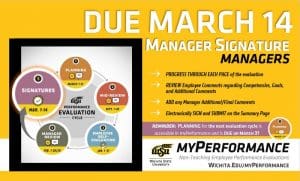
Step 5, signatures, of the annual performance evaluation cycle for non-teaching employees has started and manager signatures are due March 14. Managers can now login to myPerformance and electronically sign their employee evaluations. Additionally, the planning step for the new evaluation cycle is accessible in myPerformance and is due on March 31.

Annual non-teaching employee performance evaluations for 2024-25 will be available for manager signatures beginning March 8 provided that their employee has submitted their employee signature in myPerformance.

Managers should log into myPerformance then electronically sign and submit their employee’s 2024-25 evaluation by 11:59 p.m. Friday, March 14.

Helpful hints:

  • Progress through each page of the evaluation to review all comments and ratings.
  • Enter your name in the signature field, click “Sign,” and then click “Submit” on the approval signature page and the submit review pop-up window.
  • Check the box that says “Show completed and expired tasks” if you think an evaluation has disappeared from your scheduled tasks.
  • Don’t forget that the first step of the 2025-26 myPerformance evaluation cycle, Planning, is due on March 31, 2025.

Note: The first step of the evaluation cycle, Planning, for 2025-26 evaluations is accessible to managers in myPerformance. The Planning step is for setting expectations and goals for the new review period which runs March 1, 2025 through Feb. 28, 2026. If you have not already done so, you should enter and submit this information in myPerformance, and then meet with your employees by March 31. Your employees will not have access to their 2025-26 evaluation until Jan. 1, 2026, so it is important to provide them with a copy to use as a reference throughout the year.

For more information (including myPerformance training, quick reference guides, and other resources) go to the myPerformance webpage (wichita.edu/myPerformance).


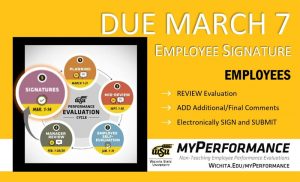
Step 5, signatures, of the annual performance evaluation cycle for non-teaching employees has started and employee signatures are due March 7. Employees can now login to myPerformance, review their evaluation, add any final comments, and electronically sign their evaluation.

Annual non-teaching employee performance evaluations for 2024-25 will be available for employee signatures beginning March 1 provided that their manager has submitted their manager review in myPerformance.

Employees should log into myPerformance then electronically sign and submit their 2024-25 evaluation by 11:59 p.m. Friday, March 7.

Helpful hints:

  • Let your manager know if you don’t have access to your evaluation. Managers must “Submit” their manager review for you to have access.
  • Progress through each page of your evaluation to review all comments and ratings.
  • Enter your name in the signature field, click “Sign,” and then click “Submit” on the approval signature page and the submit review pop-up window.
  • To find in-progress or past evaluations in myPerformance, check the small box “Show completed and expired tasks” then click “Search.”

For more information (including myPerformance training, quick reference guides, and other resources) go to the myPerformance webpage (wichita.edu/myPerformance).

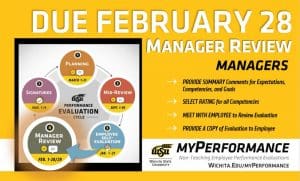
Step 4, manager review, of the annual performance evaluation cycle for non-teaching employees has started and is due February 28. Managers of non-teaching employees can now login to myPerformance, provide summary comments about their employee’s job performance and accomplishments for the year, rate their employee in each competency, and then meet with their employee to deliver their annual performance review.

Annual non-teaching employee performance evaluations for 2024-25 are now accessible to managers to complete the manager review step of the myPerformance evaluation cycle. Managers, go to myPerformance to access and complete performance evaluations for your non-teaching employees which are due by 11:59 p.m. Feb. 28.

Follow these steps to complete your evaluations for the 2024-25 review period which began March 1, 2024 and ends Feb. 28, 2025:

  • Provide summary comments for expectations, competencies and goals
  • Select rating for all competencies
  • Progress through each page of the evaluation and select “Save” then “Submit” on the final summary page for the evaluation
  • Meet with your employee(s) to review their evaluation and provide them with a copy

 Helpful hints:

  • Managers have unlimited access to update and edit performance evaluations throughout the month of February.
  • Evaluations must be saved and submitted to progress to the employee signature step on March 1. Employees will not have access to their evaluation if the manager has not submitted their review.
  • Managers can add co-planners during this step. A co-planner is someone who has managed a portion of the employee’s work assignment during the evaluation period.
  • To find in-progress or past evaluations in myPerformance, check the small box “Show completed and expired tasks” then click “Search.”

Note: End of year performance review conversations are also a great time to set expectations and goals for the new review period. The 2025-26 evaluations are now accessible to managers in myPerformance so you can discuss both the current end-of-review (2024-25 manager review) and the upcoming begin-of-review (2025-26 planning) at the same time, if desired.

For more information (including myPerformance training, quick reference guides and other resources) go to the myPerformance webpage (wichita.edu/myPerformance).