Over the next few weeks, WSU Information Technology Services (ITS) will roll out new functionality regarding student use of Microsoft’s Multifactor Authentication (MFA).

MFA helps protect users by making it more difficult for someone else to sign in to their WSU account. It uses two different forms of identity: myWSU password, and an additional authentication method.

Software impacted by MFA will be email, Blackboard and all Office 365 products.

Currently enrolled students who are taking classes are required to register and use MFA. Existing WSU employees who are taking classes are not required to register for MFA. WSU staff and faculty already use Duo for multi-factor authentication.

Next steps

Be on the lookout for more information from WSU ITS regarding when this functionality is available and how to set up your Multifactor Authentication. Learn more about MFA online (wichita.edu/studentMFA).


Image of Student sitting at a computer with text stating Adobe Express Higher Education, link wichita.edu/AdobeExpress

Adobe Express for Higher Education is now available to Wichita State students at no additional charge.

Adobe Express offers a world of apps and services that foster creativity, drive engagement and build career-relevant skills, including web and mobile apps, plus Premiere Rush and Photoshop Express.

You must be a currently enrolled degree-seeking undergraduate or graduate student to receive a license for Adobe Express from WSU.

Sample projects created by Adobe Express with the Adobe Logo

ITS is pleased to announce Adobe Express for Higher Education will be available soon for Wichita State students.

Adobe Express offers a world of apps and services that foster creativity, drive engagement and build career-relevant skills, including web and mobile apps, plus Premiere Rush and Photoshop Express.

Additional announcements regarding availability and how to access coming soon.

Go to wichita.edu/AdobeExpress to learn more.

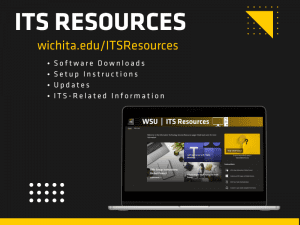
ITS Resources located at wichita.edu/itsreources, contains software downloads, setup instructions, updates, and ITS related information.

Log in into the new site for ITS resources, including software downloads, set up instructions and additional ITS-related information.

The site is located at wichita.edu/itsresources and is updated regularly as new ITS information is available. Check back often.

Due to construction work involving replacing the faucets in Jabara Hall Aug. 2 and 3, the water will be turned off to the building.  ITS Help Desk and Desktop Support teams will be working 100% remotely during these two days.

Please contact helpdesk@wichita.edu or 316-978-4357, option 1 with any questions.

Self-Service Password Reset Live July 17th

Starting Monday, July 17, WSU Information Technology Services (ITS) will roll out new functionality regarding password resets.

The new feature Self-Service Password Reset (SSPR) will make it easier to recover your password. You will be able to reset, unlock or change your password with the added security of having an extra verification method, like a phone number or passcode to your user sign-in process.  This introduces the option to enable self-service functionality when having issues with your password.

Starting July 17, visit Self-Service Password Recovery webpage for additional information on what to expect and how to set up your account.

Questions: Contact ITS Help Desk at 316-978-4357, option 1 or helpdesk@wichita.edu.

Self-Service Password Reset Live July 17th

Starting July 17, WSU Information Technology Services (ITS) will roll out new functionality regarding password resets.

The new feature, Self-Service Password Reset (SSPR), will make it easier to recover your password. You will be able to reset, unlock or change your password with the added security of having an extra verification method, like a phone number or passcode to your user sign-in process. This introduces the option to enable self-service functionality when having issues with your password.

Next Steps

Be on the lookout for more information later this week from WSU ITS regarding additional information on what to expect and how to set up your account.

Coming Soon, Self-Service Password Reset!

Over the next few weeks WSU Information Technology Services (ITS) will roll out new functionality regarding password resets.

This new feature, called Self-Service Password Reset (SSPR), will enable users to reset, unlock and change passwords with the added security of having an extra verification method.

The goal is to make your workday easier when you have issues with your password by enabling self-service password reset functionality.

Next Steps

Be on the lookout for more information from WSU ITS regarding when this functionality is available and how to set up your account.

Image of laptop with the words Budget, Accounting, Payable, and Revenue listed.

If you pay invoices, enter requisitions, monitor budgets or have financial-related questions, this Finance Update is for you. Topics will include:

  • How your work will change after the most significant improvement to Wichita State’s purchasing process goes live in 2023.
  • Budget presentation on business analytics and how this can simplify budget monitoring.
  • Subject matter experts will be available to answer your questions.

Financial Services Update will be held at 10:30 a.m. Wednesday, Jan. 25 in 208 Hubbard Hall.

Find more information and sign up for this session through myTraining.

Please submit questions prior to the event so that our subject matter experts can address them during the event by emailing training@wichita.edu.

Tomorrow, May 24, the login process for Blackboard and Microsoft365 will be updated as part of a goal to improve availability of cloud-based services in the event of local system outages. Users may notice minor differences in the login experience, but the login process will remain the same. Users will continue to log in using their myWSU ID and password.

For more information, contact the Help Desk at helpdesk@wichita.edu or 316-978-HELP, Option 1.