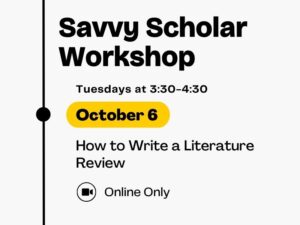
Savvy Scholar Workshop, Tuesdays at 3:30-4:30, October 6, How to Write a Literature Review, Online Only

Learn all the steps to create a literature review, from conducting comprehensive research to synthesizing perspectives to presenting your findings, at the next Savvy Scholar workshop from 3:30 to 4:30 p.m. Tuesday, Oct. 6 virtually.

The Savvy Scholar Workshop Series is designed to help students (plus faculty and staff) navigate multiple stages of the research process.

This hands-on training, from 9 to 11 a.m. Tuesday, Oct. 1 virtually via Microsoft Teams, takes your formula skills to the next level. Save yourself time and let Microsoft Excel do the work for you.

This course is designed for those already comfortable with Microsoft Excel and not for beginners. This session will leave you better equipped to use valuable formulas that turn repetitive work into worksheets that update themselves.

To register, log in to myTraining and search for “Excel: Advance Formulas.” Space is limited, so register early.

This hands-on training, from 9 to 11 a.m. Tuesday, Sept. 29 virtually via Microsoft Teams, introduces the workbook enhancements that turn raw data into clear, polished visuals.

This course is designed for those already comfortable with Microsoft Excel and not for beginners. This session will leave you better equipped to build and refine PivotTables, create PivotCharts and standalone charts, and use picture formatting to give your workbooks a finished, report-ready look.

To register, log in to myTraining and search for “Excel: Pivot Tables and Charts.” Space is limited, so register early.

This hands-on training, from 9 to 11 a.m. Thursday, Sept. 22 virtually via Microsoft Teams, covers foundational skills in the spreadsheet tool used across higher education for everything from rosters and budgets to schedules and reports.

Whether you are new to Microsoft Excel or looking to strengthen your existing skills, this session will leave you better equipped to format cells, build simple calculations, work with tables and flash fill, set up print areas and manage multiple sheets within a workbook.

To register, log in to myTraining and search for “Excel Essentials.” Space is limited, so register early.

Learn how to protect your time while supporting your team’s priorities. Led by Percy Turner of the WSU Community Engagement Institute, this session explores techniques for setting healthy boundaries, managing workload and using time intentionally as a leadership tool.

Join the session from 1 to 4 p.m. Thursday, Sept. 17 (check-in at 12:45 p.m.) at the Wichita Public Library Alford Branch, 3447 S. Meridian Ave.

Cost is $100 per person. Shockers can use code 2025ProDev to receive 10% off registration for any class.

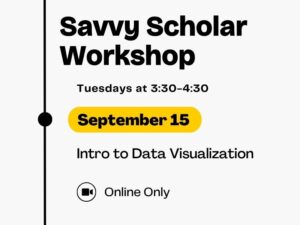
Savvy Scholar Workshop, Tuesdays at 3:30-4:30, September 15, Intro to Data Visualization, Online Only

Learn how to communicate information effectively using charts, graphs or maps by attending the next Savvy Scholar workshop on data visualization from 3:30 to 4:30 p.m. Tuesday, Sept. 15 virtually. You will get an overview of types of graphical representations and how to select the right visuals to convey your ideas appropriately.

The Savvy Scholar Workshop Series is designed to help students (plus faculty and staff) navigate multiple stages of the research process.

This hands-on training, from 9 to 10 a.m. Thursday, Sept. 17 virtually via Microsoft Teams, helps staff and faculty work more efficiently with Microsoft OneDrive by learning how to organize files, collaborate with others, share content securely, restore previous versions, manage storage responsibly and reduce the clutter of email attachments and duplicate documents.

Whether you’re new to OneDrive or looking to build better habits, you’ll leave with practical skills you can immediately apply to your daily work.

To register, log in to myTraining and search for “OneDrive Essentials.” Space is limited, so register early.

This hands-on training, from 9 to 11 a.m. Tuesday, Sept. 15 virtually via Microsoft Teams, covers foundational skills in the document tool used every day across higher education.

Whether you are new to Word or looking to strengthen your existing skills, this session will leave you better equipped to apply formatting, styles and themes; build lists; work with comments and markup; insert and arrange images; and take advantage of new Microsoft 365 features including the editor.

To register, log in to myTraining and search for “Microsoft Word Essentials.” Space is limited, so register early.

Learn how to protect your time while supporting your team’s priorities. Led by Percy Turner of the WSU Community Engagement Institute, this session explores techniques for setting healthy boundaries, managing workload and using time intentionally as a leadership tool.

Join the session from 1 to 4 p.m. Thursday, Sept. 17 (check-in at 12:45 p.m.) at the Wichita Public Library Alford Branch, 3447 S. Meridian Ave.

Cost is $100 per person. Shockers can use code 2025ProDev to receive 10% off registration for any class.

Academic, specialized and faculty advisors are invited to attend a session on appreciative advising from 9 to 9:45 a.m. Friday, Sept. 11 in 262 Rhatigan Student Center, Herrman Room. The session is presented by Sara Gallo Baltazar, TRIO McNair Scholars Program, and Raven Garrison and Elia Ortega, OneStop Student Services.

Appreciative Advising is the intentional collaborative practice of asking generative, open-ended questions that help students optimize their educational experiences and achieve their dreams, goals and potentials. This session will explore how the six phases of appreciative advising (disarm, discover, dream, design, deliver and don’t settle) can be used in academic, specialized and faculty advising.

Email Brett Petersen-Bruner, associate vice provost for Student Success & Persistence, at brett.bruner@wichita.edu to RSVP to attend this session.