Interested in learning more about hosting virtual meetings in Microsoft Teams? Attend the new ITS training sessions listed in myTraining titled “Virtual Meetings in Teams.”

The sessions will focus solely on the meeting functionality in Teams, including creating meetings, meeting settings, screen sharing options, meeting polls, break out rooms, attendance lists, meeting recording, meeting whiteboards and more.

To learn more about the additional features of Microsoft Teams, like chat, Team channels and group file storage, look for the “Teams Essentials” and “Teams Advanced” training sessions. All Teams training sessions will be in regular rotation. Select “Notify me of new sessions” in myTraining to be the first to hear when new sessions post.

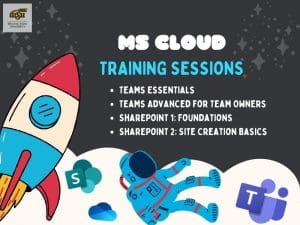
Graphic of astronaut in cloud among MS Cloud icons. Text reads: MS Cloud Training Sessions: Teams Essentials, Teams Advanced for Team Owners, Sharepoint 1: Foundations, SharePoint 2: Site Creation Basics.

Are you interested in learning more about Microsoft Cloud services available to WSU faculty and staff? Live training sessions on Teams, SharePoint, and more are available through ITS Applications Training.

Current sessions on Microsoft Cloud services include:

  • Teams Essentials: Jan. 10
  • Teams Advanced for Team Owners: Jan. 11
  • SharePoint — Foundations: Jan. 17
  • SharePoint 2 — Site Creation Basics: Jan. 19

Sign up for these sessions, and future training sessions, through myTraining. For more information, visit: wichita.edu/myTraining.

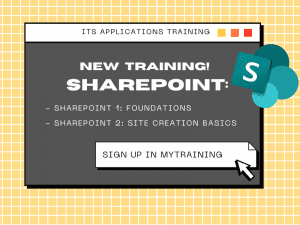
Graphic with text: ITS Applications Training: New Training! SharePoint: SharePoint 1: Foundations, SharePoint 2: Site Creation Basics, Sign up in mytraining

ITS Applications Training is excited to announce two new training offerings for faculty and staff who are eager to learn more about SharePoint:

  • SharePoint 1: Foundations
    • 9 to 11 a.m. Oct. 11
    • Learn about basic SharePoint navigation, creating news pages and webpages in SharePoint, creating web parts, basic document settings, and more.
  • SharePoint 2: Site Creation Basics
    • 9 to 11 a.m. Oct. 13
    • Learn how to get started creating sites in SharePoint, manage site membership, alter site appearance and layout, modify the Quick Launch, set up libraries, and more.

Both sessions are offered in remote format, and interested WSU faculty and staff can sign up in myTraining. These sessions will be in regular rotation in the future, listed in the myTraining calendar. If you have questions, please contact Ali Levine at ali.levine@wichita.edu.

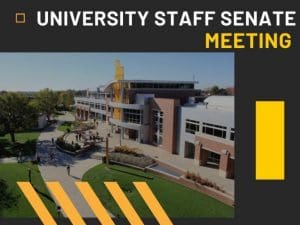
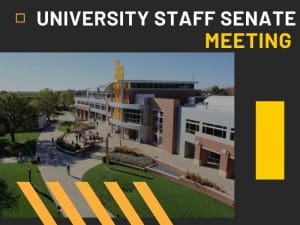
Text: University Staff Senate Meeting, Image: Aerial view of RSC

The next University Staff Senate (USS) meeting is scheduled for 3:30 p.m. today, Aug. 16 via Zoom. All USS meetings are open to the Wichita State campus community.

To learn more about USS meetings, visit the WSU USS website.

Text: Staff Senate School Supply Drive accompanied by images of school supplies

Wichita State Staff Senate is supporting neighboring schools and the Wichita community by collecting school supplies for local youth organizations. All donations must be submitted by Aug. 10. The donations will go to two businesses: ICT Launchpad, a youth organization, and 3 Keys Fitness, a business that has partnered with local youth group Equity Initiative.

The Senate is hoping to meet its goal by collecting the following:

  • 100 backpacks
  • School supplies (in quantities of 40)

The donations can be submitted at one of the following locations:

  • OneStop
  • Ablah Library
  • The Ulrich
  • Engineering Dean’s Office (Partnership 2 building)

For more information, contact naquela.pack@wichita.edu.

Information Technology Services (ITS) will perform updates to Microsoft Office Cloud Services on 9 a.m.-noon Saturday, July 30. During this time, customers may notice a temporary interruption in their access to files stored in OneDrive, Teams or SharePoint. Customers who have trouble accessing these files should log into and remove o365.wichita.edu and access via browser. Instructions can be found at the Wichita State Office 365 Online webpage.

We apologize for any inconvenience. For more information, contact the ITS Help Desk at 316-978-Help, Option 1.

Information Technology Services (ITS) would like to hear from you. To provide the best training experience possible, ITS Applications Training is interested in your feedback regarding remote and in-person training opportunities at Wichita State. Please complete our quick, five-minute survey to share your feedback.

SharePoint Essentials Training Sessions: Tuesday, June 7, Thursday, June 9.

Are you a faculty or staff member interested in learning more about SharePoint? Attend SharePoint Essentials training for an introduction to SharePoint features, including news posts, SharePoint pages and accompanying webparts, search features, document settings, sharing options, and an introduction to SharePoint lists.

In-person and online options are available:

  •  9 -11 a.m. Tuesday, June 7 in person
  •  9-11 a.m. Thursday, June 9 live online session

Visit myTraining to reserve a spot. Space is limited, but additional sessions will be offered in the future. For more information, contact Ali Levine at ali.levine@wichita.edu.

Are you a faculty or staff member looking for a New Year’s resolution? Become a Wichita State Microsoft Office Power User and attend a suite of  Information Technology Services (ITS)-led Microsoft Office sessions. All sessions are free for faculty and staff and are offered remotely.

The sessions offer faculty and staff tips and skills while allowing them to earn a digital credential through Acclaim. To view the training calendar or to register, visit myTraining. (Shortcut: Try searching for “power user” in myTraining.)

For more information or to view current WSU power users, visit the Microsoft Power Office Users website.

University Staff Senate Meeting

The next University Staff Senate meeting is schedule for 3:30 p.m. Tuesday, August 24 at the Rhatigan Student Center (room 305).

All USS meetings are open to the Wichita State campus community.