
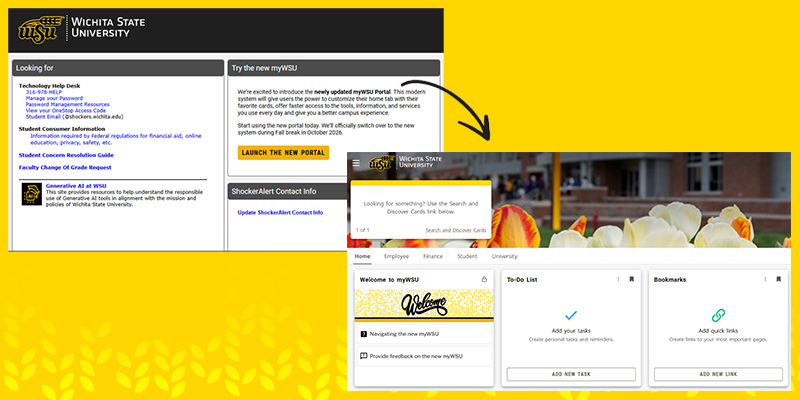
Faculty, staff and students now have access to the updated myWSU portal. The modernized portal gives users the power to customize their Home tabs, offering faster access to everyday tools, information and services.
You can access the new portal by going to the current myWSU portal and finding the “Try the new myWSU” widget. It will then give you a brief tutorial of the new system and how to navigate and customize your Home tab.
Can’t find what you’re looking for in the new portal? Use the brand-new search functionality to find your most-used tools and bookmark them to your Home tab. If you are unable to find a previous functionality or have other feedback, you can submit it in the “Welcome to myWSU” card in the new myWSU by clicking “Provide feedback on the new myWSU.”
myWSU will switch over to the new system in October during Fall Break, with the old portal still available to use until the spring semester, giving faculty, staff and students ample time to familiarize themselves with the new portal and offer feedback.